AI Design Tools Have Arrived — But Is Your Practice Ready?
AI design tools are now capable of transforming a solitary prompt into a clickable prototype within minutes. The technology itself is no longer in question; rather, the pertinent issue is one of preparedness. It will not be the teams with the most ostentatious tools who prevail, but those whose underlying structures are sufficiently robust to accommodate them.
Article Summary
- AI design tools can quickly generate prototypes, but success depends on a team's organisational readiness, not just tool selection.
- The key challenge is integrating AI outputs into existing design systems and workflows, rather than learning the tools themselves.
- Teams with mature design systems, consistent components, and strong documentation benefit most from AI tools.
- Adoption is most effective when teams develop a shared prompting language (“One Language”) and work within a unified environment (“One Space”).
- AI tools are valuable for accelerating early-stage design and exploration, but human refinement and systematic thinking remain essential for production readiness.
It is commonly assumed that the adoption of AI in design is merely a matter of selecting the appropriate tool: identify the right platform, master the requisite prompts, and the remainder will fall neatly into place. Much of the prevailing discourse continues to revolve around this notion: which tool produces the most elegant layout, which integrates seamlessly with Figma, which generates the tidiest code.
I do not believe that the tooling has ever truly been the principal obstacle.
Numerous teams have already experimented with tools such as Axure, Adobe XD, Sketch, UX Pilot, Vercel v0, Lovable, and Figma's own Make, only to discover a familiar pattern: the tools themselves are straightforward to master, often operational within mere hours, but the resulting outputs seldom integrate seamlessly into production. Visual styles tend to diverge from the established design system, components arrive in a generic state and require replacement, and the code itself demands considerable revision before it is fit for engineering purposes.
Should a team embark upon AI adoption with the expectation that the tool will resolve the integration challenge, disappointment is almost certain to follow. The difficulty does not lie with the tool itself, but rather with the nature of the problem at hand.
Architectural Maturity
The true determinant of success is, in fact, architectural maturity: the degree to which a team's design system, component libraries, and working practices are already well-organised before AI is introduced.
This was borne out directly in testing. A design team trialled three tools earlier this year: UX Pilot (prompt-based UI generation with Figma integration, outputting HTML/CSS), Vercel v0 (a code-first approach generating React/Tailwind, requiring manual recreation in Figma), and Lovable (a middle ground, producing full React applications with design handoff export). All three were intuitive — but they all revealed the same gap: integration with existing workflows, not raw capability, was the limiting factor.
Then, in May 2025, Figma launched Make, native AI capabilities that operate within the existing Figma environment, reading established visual styles and patterns directly from team files. This didn't eliminate the integration challenge, but it reframed it: prompting becomes refining decisions within an established visual environment, rather than starting from a blank slate and rebuilding afterwards.
The data backs up the gap in adoption. According to Figma's April 2025 AI report, 59% of developers use AI for core development work, compared with just 31% of designers using AI in core design tasks. Developers have found a clearer path to value — largely because code, unlike design systems, has long had structured, tooling-friendly conventions to plug into.
The lesson here is clear: the tools themselves have not altered the fundamental equation. It is those teams with the most coherent design systems, the most consistent component libraries, and the most rigorous documentation who are best placed to derive value swiftly, irrespective of the particular AI tool they choose to employ.
Begin modestly, and work towards establishing One Language and One Space: the two pillars underpinning the so-called Power of One, to which this current phase of AI adoption is inexorably drawing teams.
One Language: treat prompting as a shared vocabulary rather than a private idiosyncrasy. Engaging with an AI layout tool is best approached as an iterative dialogue, not a quest for the single perfect instruction. Begin with broad strokes—such as 'create a marketing homepage with a hero and product cards'—and refine incrementally: 'make the hero full-width', 'add a testimonial section'. If left to individual interpretation, this process quickly fragments into a multitude of dialects. Record the prompts that prove effective, the sequences that produce usable layouts most efficiently, and the references that reliably produce on-brand results. This constitutes your team's emerging prompting language; commit it to writing, and its value will compound over time.
One Space: channel all activity through your established environment, rather than dispersing efforts across a miscellany of tools. Platform-native AI, such as Figma Make, can interpret your existing visual styles and patterns directly from your files, so prompting becomes a matter of refining decisions within your established space rather than starting from a blank canvas elsewhere. Most tools now accommodate a variety of reference types: URLs, Figma files, sketches, image assets, and structured text. Supply the AI with material from your design system—the tokens, components, and patterns already in existence—rather than permitting outputs to arrive as isolated files requiring subsequent reconciliation.
Pilot on early-stage deliverables. Wireframes, layout foundations, and initial prototypes are low-risk entry points. AI accelerates the "think-out-loud" phase — generating starting points for exploration and team alignment — without touching production work.
Assess performance against your own system, rather than relying on the tool's demonstration. Prior to broader implementation, consider: how swiftly does the process move from prompt to layout? How faithfully does it correspond to your tokens, spacing, and components? Is the generated code suitable for engineering purposes? Does it adhere to accessibility standards? Can it be trialled in a genuine sprint without undue overhead?
Initially, operate the tool in parallel with your existing workflow. Compare its outputs with those of your traditional process before determining the extent of adoption. A reduction in redesign cycles and diminished churn are the early indicators to observe.
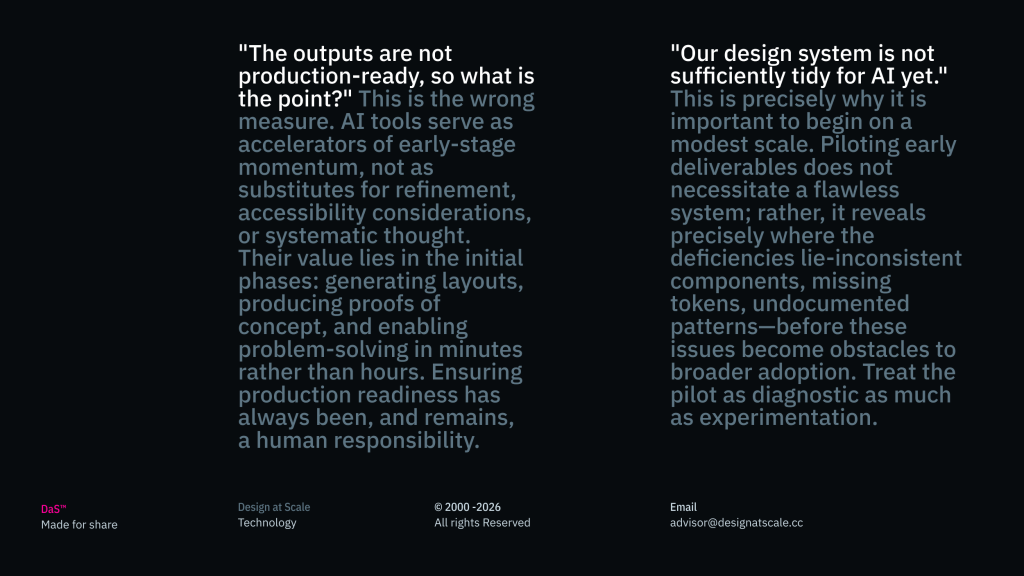
"The outputs are not production-ready, so what is the point?"
This is the wrong measure. AI tools serve as accelerators of early-stage momentum, not as substitutes for refinement, accessibility considerations, or systematic thought. Their value lies in the initial phases: generating layouts, producing proofs of concept, and enabling problem-solving in minutes rather than hours. Ensuring production readiness has always been, and remains, a human responsibility.
"Our design system is not sufficiently tidy for AI yet." This is precisely why it is important to begin on a modest scale. Piloting early deliverables does not necessitate a flawless system; rather, it reveals precisely where the deficiencies lie—inconsistent components, missing tokens, undocumented patterns—before these issues become obstacles to broader adoption. Treat the pilot as diagnostic as much as experimental. If the design system itself is not yet ready, that is a distinct and parallel undertaking which ought to be acknowledged candidly. Do not allow AI adoption to stall while waiting for perfection, but do not ignore the gap either.
"We are uncertain which tool or integration approach will ultimately prevail." There is little merit in waiting for a definitive answer. Native platform AI, such as Figma Make, and protocol-based integration, such as Figma's MCP server (where coding tools communicate with design files via standardised interfaces), each present distinct trade-offs. Both, however, are avenues into One Space, albeit through different entrances. Teams may well employ a combination rather than selecting a single approach. What is of greater consequence than the choice of entry is the existence of a shared operating system—One Language and One Space—into which any tool may be integrated. Establish this foundation now, and the specific tool becomes a replaceable detail rather than a fundamental risk.
AI design tools have moved beyond novelty and are now genuinely useful, particularly for prototyping and layout generation, where practical outputs can be produced in minutes rather than days. Yet, the tools themselves have never been the true constraint. The real limitation lies in whether a team's design system, component libraries, and working practices are sufficiently organised to absorb what AI produces and render it fit for production.
The teams that stand to benefit most rapidly will not be those in pursuit of the most sophisticated tool, but rather those who began modestly, cultivated One Language around prompting, maintained all activity within One Space, and used the experience to reinforce their foundational structures.
The ground is already shifting beneath the design industry, and the only meaningful decision remaining is whether your foundations are prepared to move accordingly. Begin on a modest scale, begin now, and cultivate the fluency that will see you through whatever lies ahead. For further guidance on building scalable design practices, visit designatscale.co.